
Trae
Trae is a desktop IDE / AI coding tool. After opening the app, follow these steps to connect Trae to Qiuqiu Token.
Minimum Requirements
- Trae is installed and can open normally.
- You have prepared a Trae token group. If not, create one in Create an API Token.
Steps
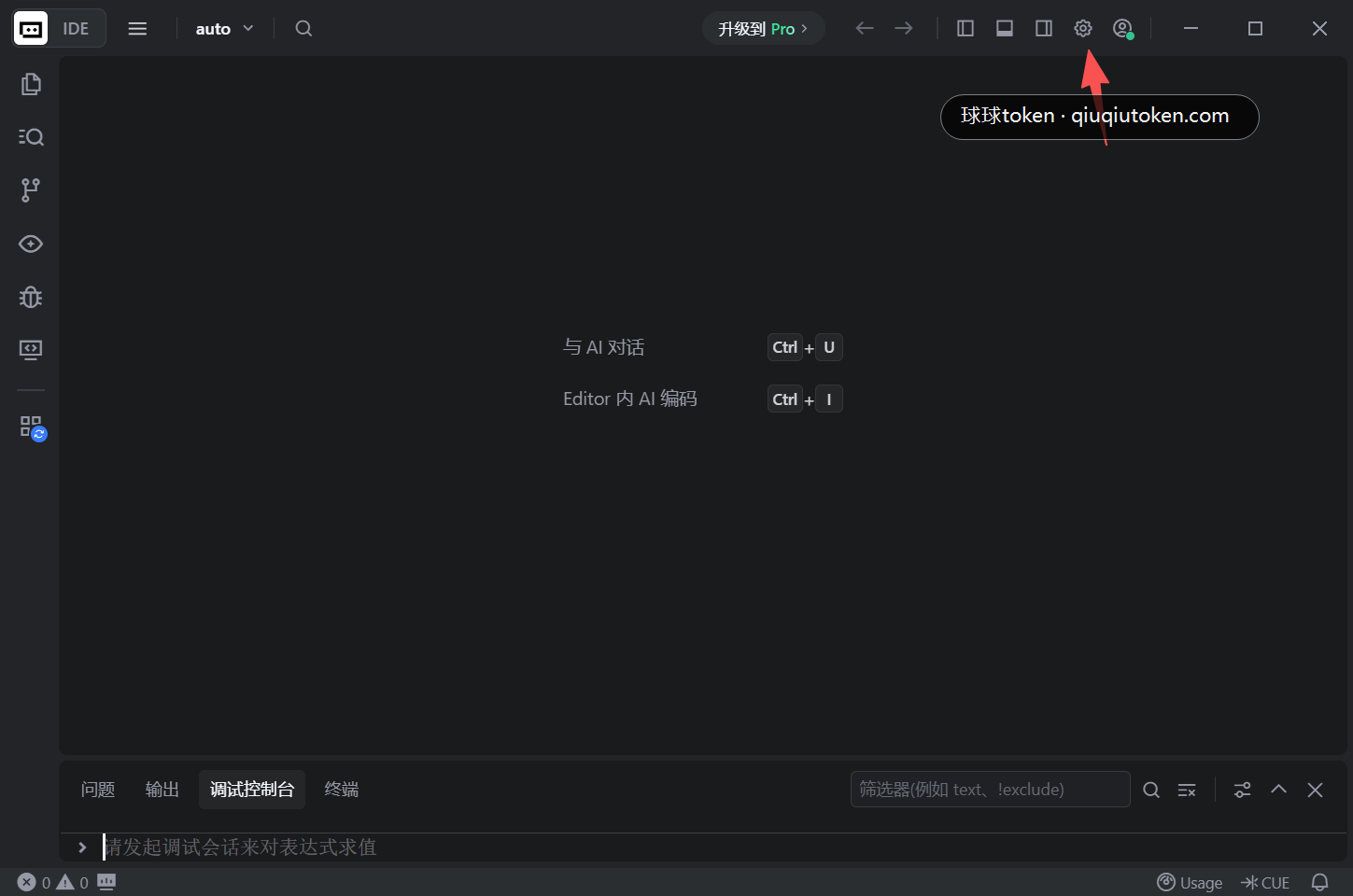
1. Open the settings entry in the upper-right corner
Open the Trae main interface, then click the settings entry in the upper-right corner.
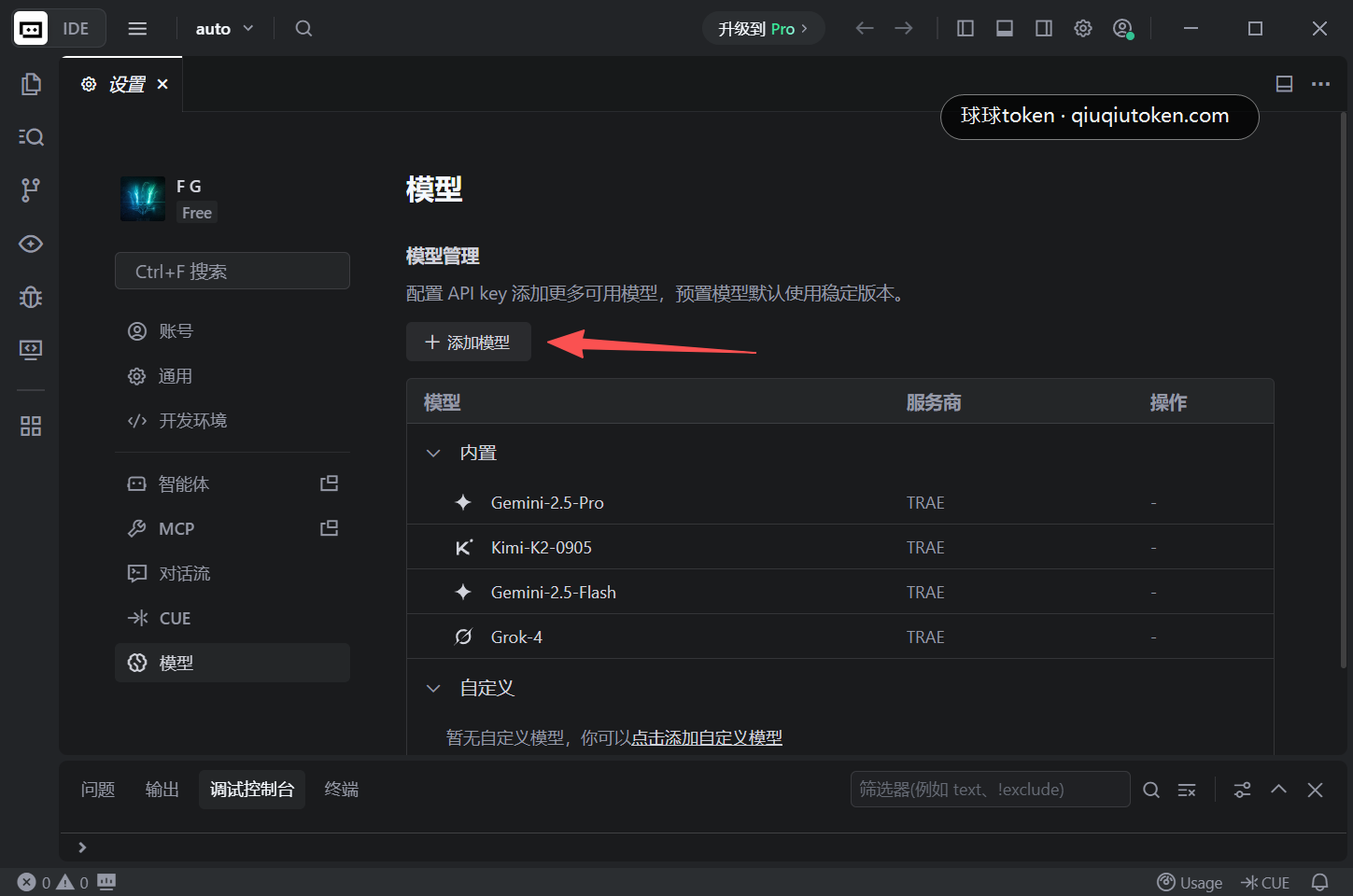
2. Click "Add Model" on the model page
Open the model settings page and click "Add Model".
3. Fill the custom model fields
Use these values:
Provider: chooseOpenAIModel: chooseCustom modelModel ID: enter the actual model name, for examplegpt-4.1API Key: paste the Trae token key created in Create an API TokenCustom request address: use the full address below
https://api.qiuqiutoken.com/v1/chat/completions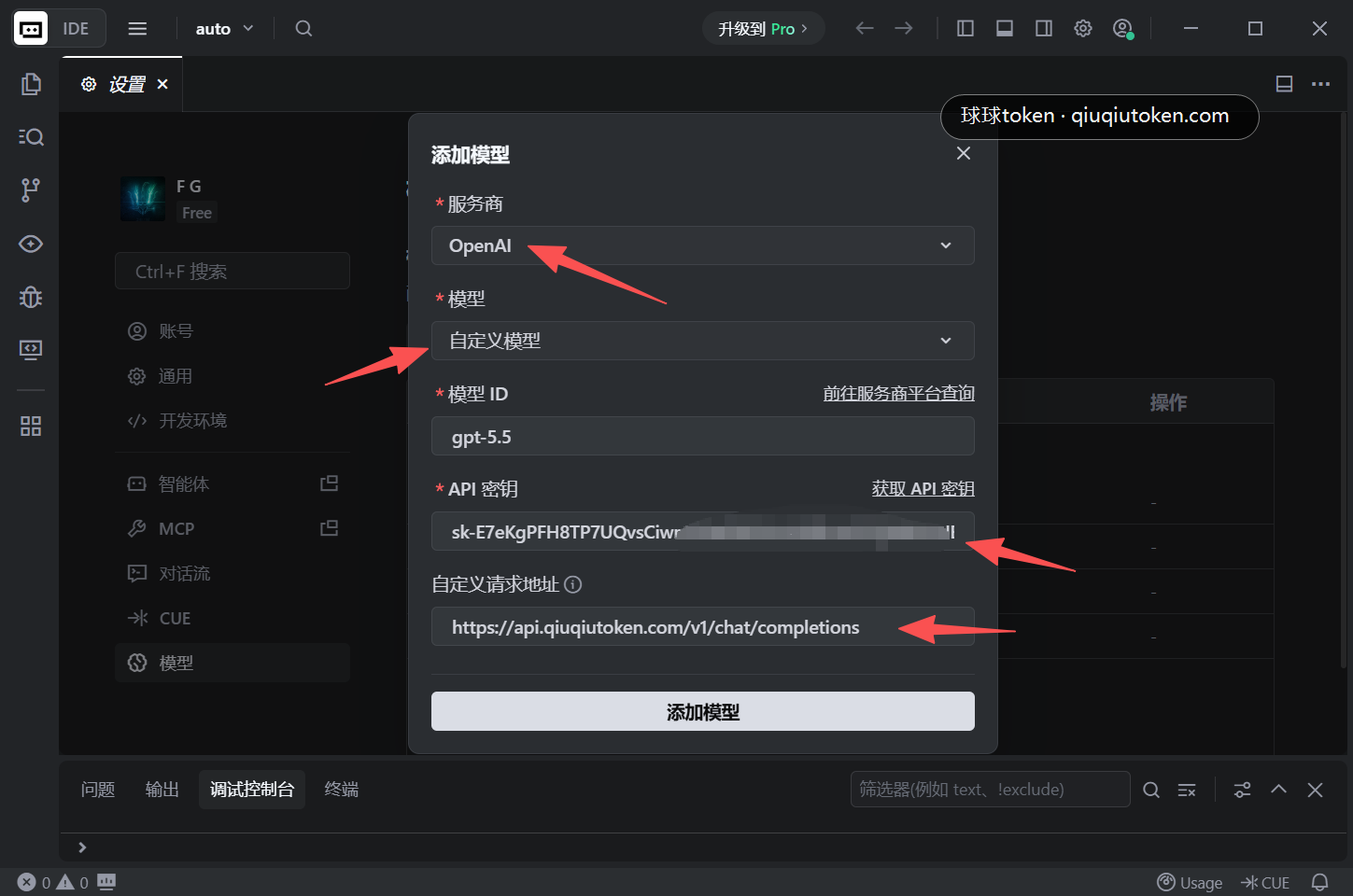
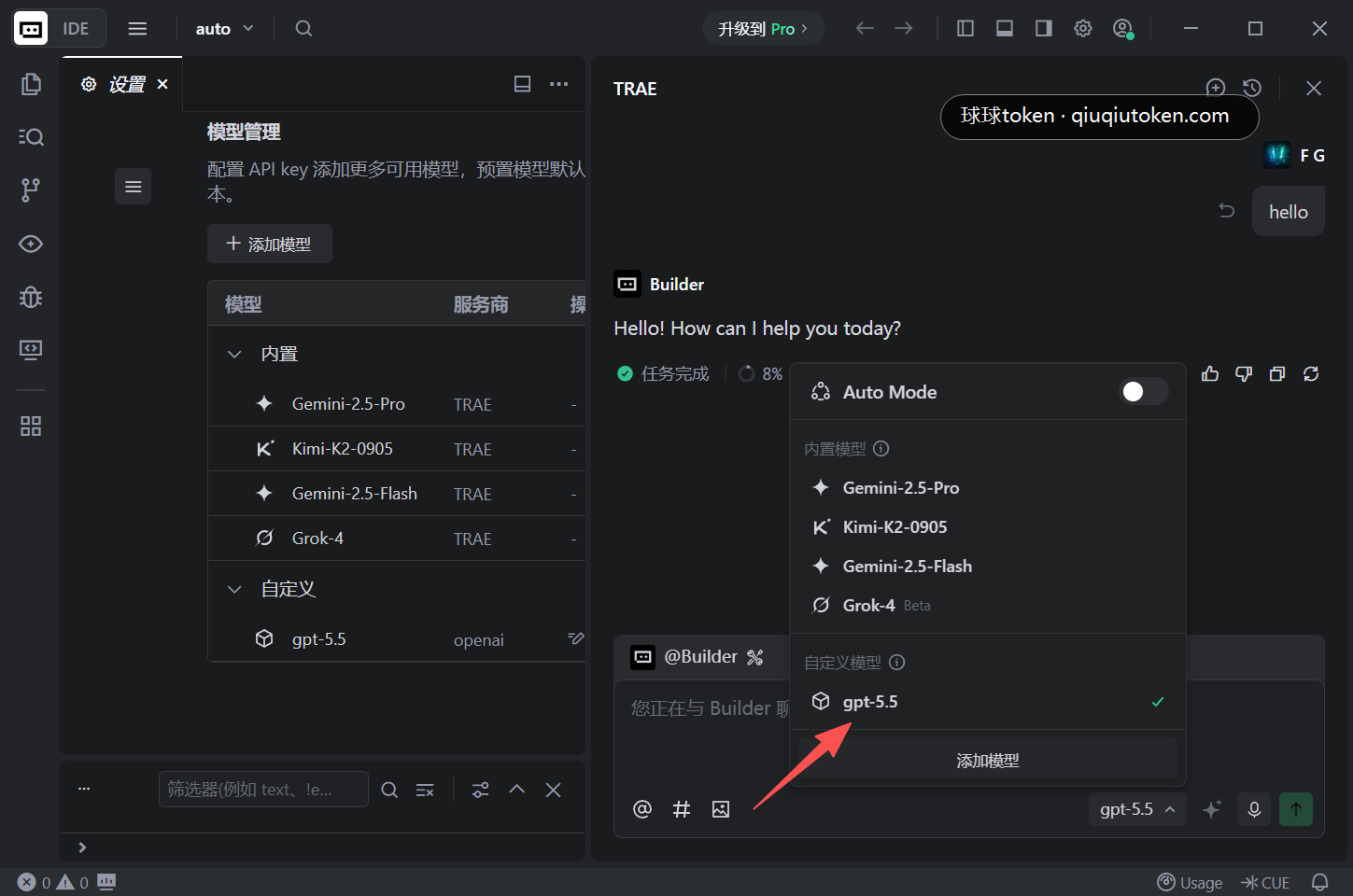
4. Save and verify in chat
After saving, return to the Trae chat area, switch to the custom model, and send a simple message.
Verification
- The model list contains the custom model you added.
- A simple message returns normally after switching to that model.
- The Qiuqiu Token console shows usage.
FAQ
- No token yet: open Create an API Token.
- No balance yet: open Quick Start.
- It still uses the default service: confirm the current chat window is switched to your custom model.
- Authentication fails: confirm the API Key is the Trae token and not
default. - 404 or model not found: use a model name that is available in your account and group.