
Create an API Token
Create an API token after you have chosen the target client, model, and token group.
Steps
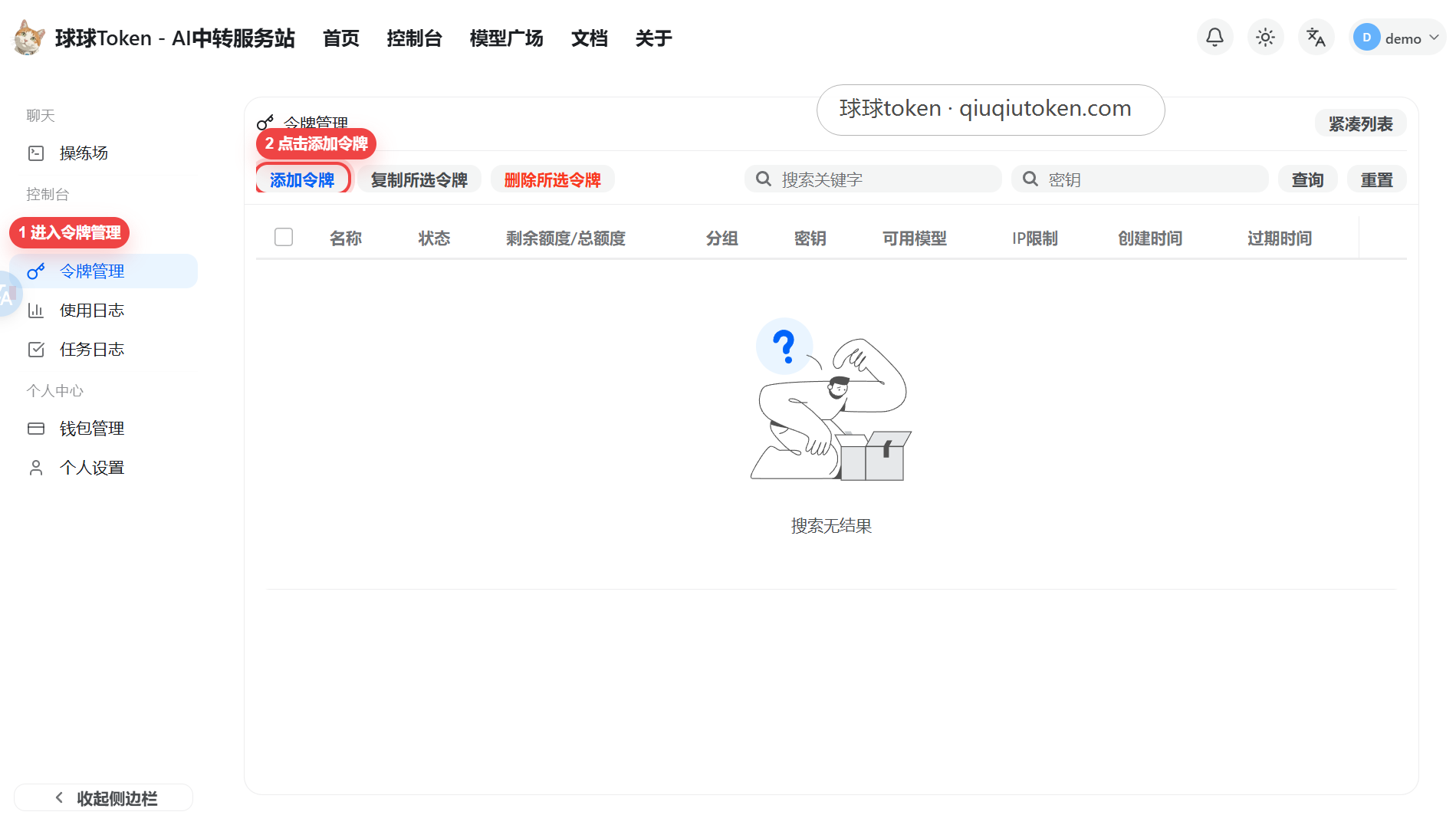
- Open Token Management.
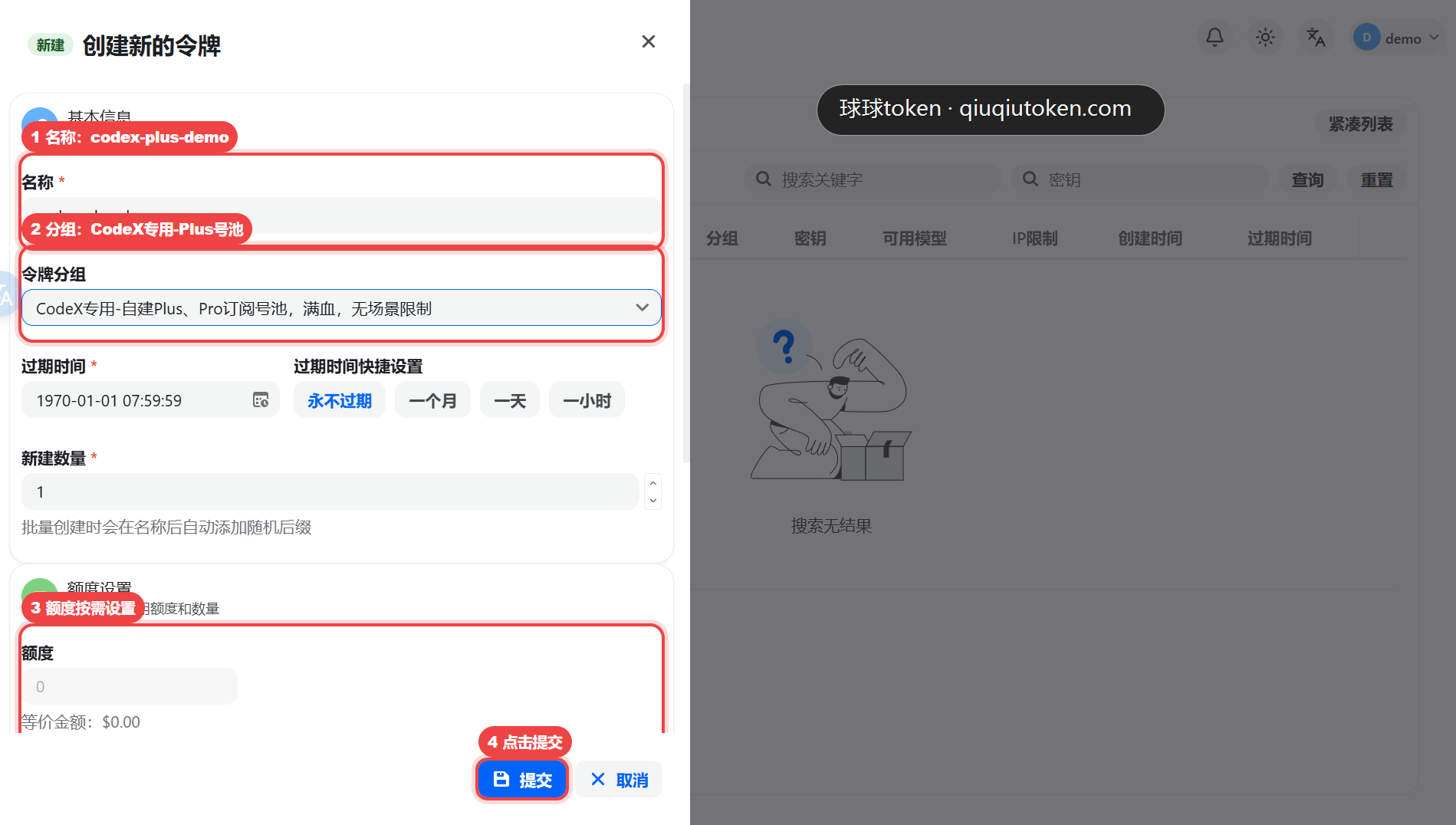
- Click "Add Token".
- Enter a clear token name.
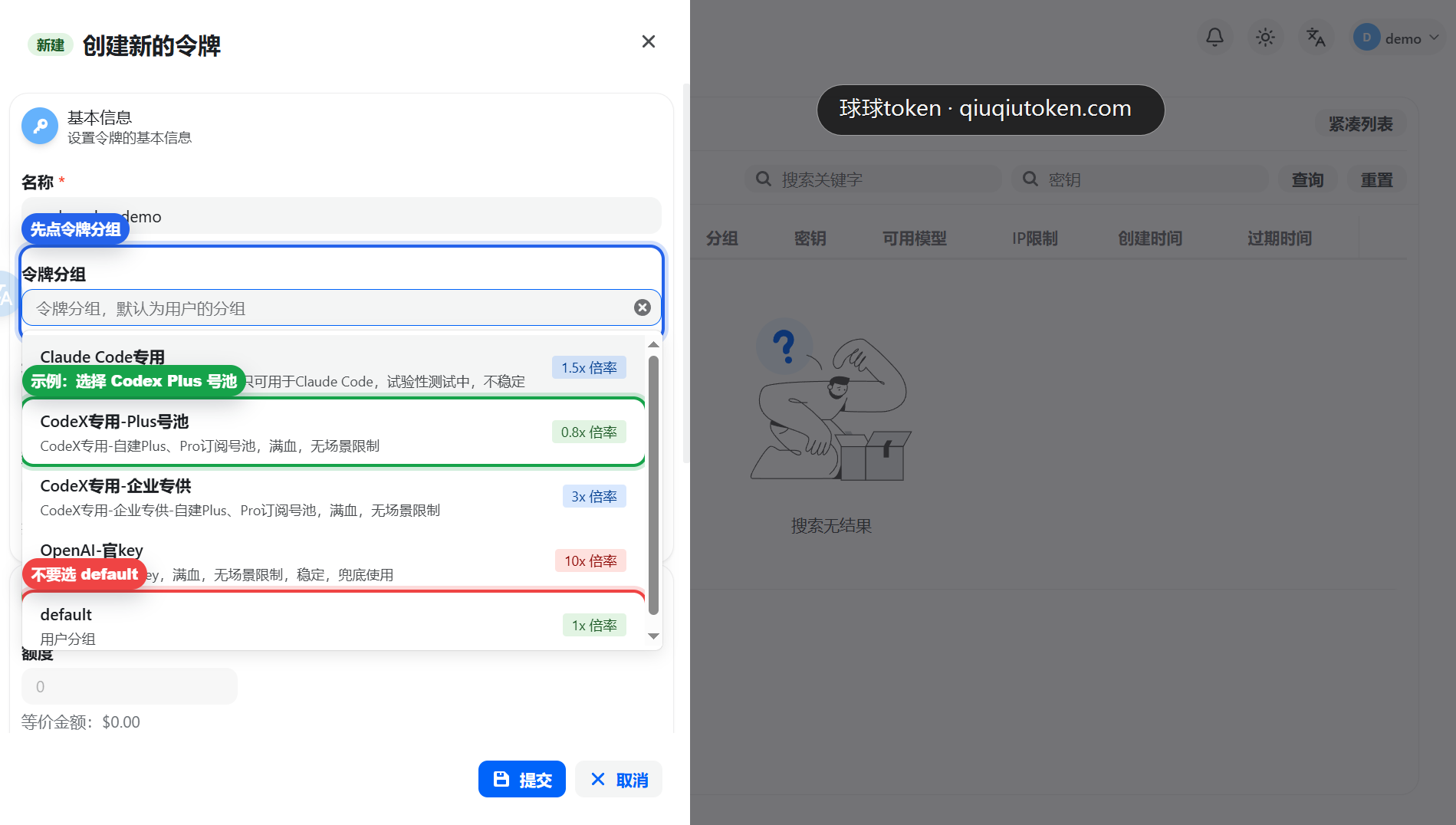
- Choose the token group that matches the client and model.
- Set expiration and quota.
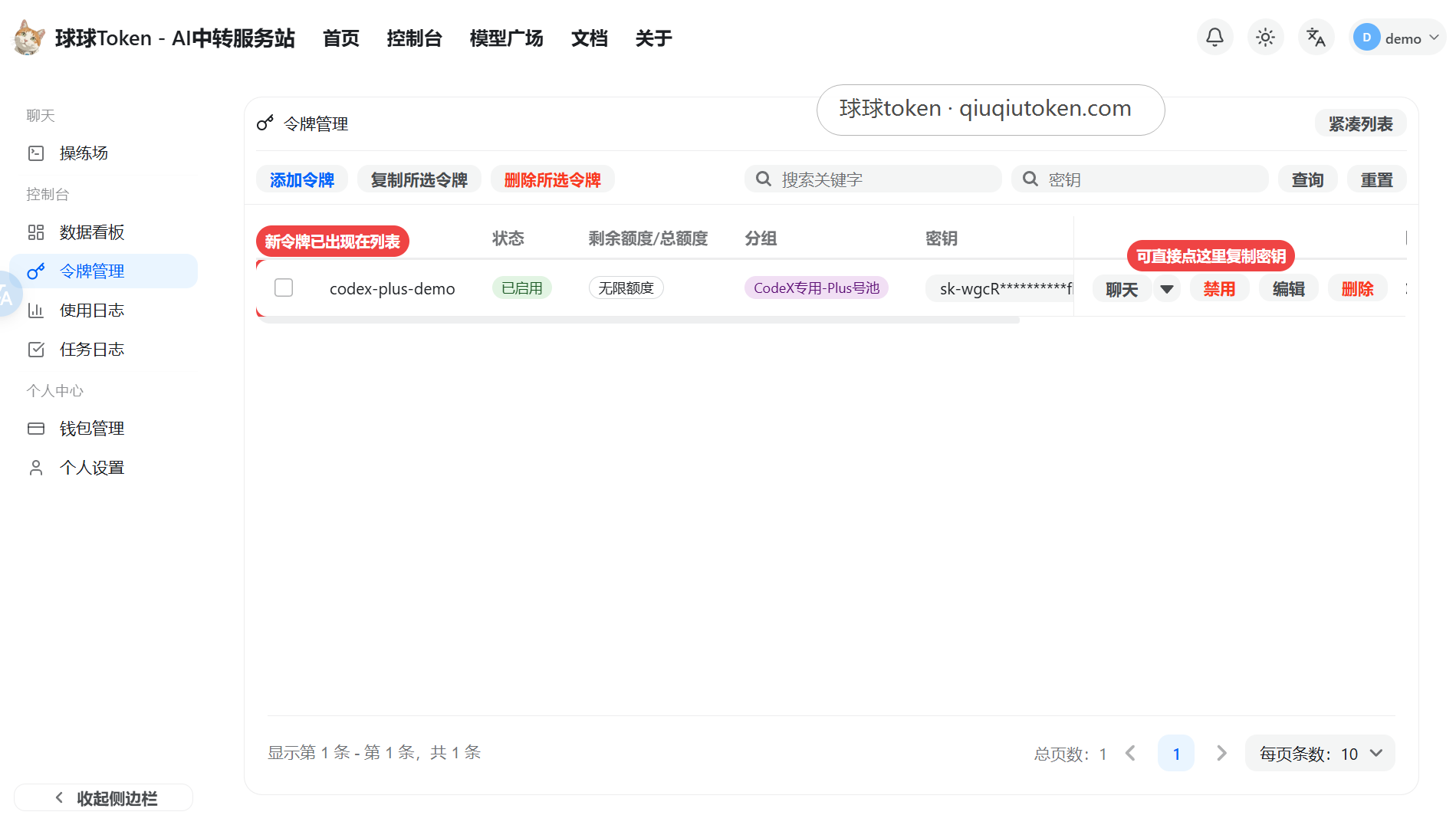
- Submit, then copy the generated API Key.
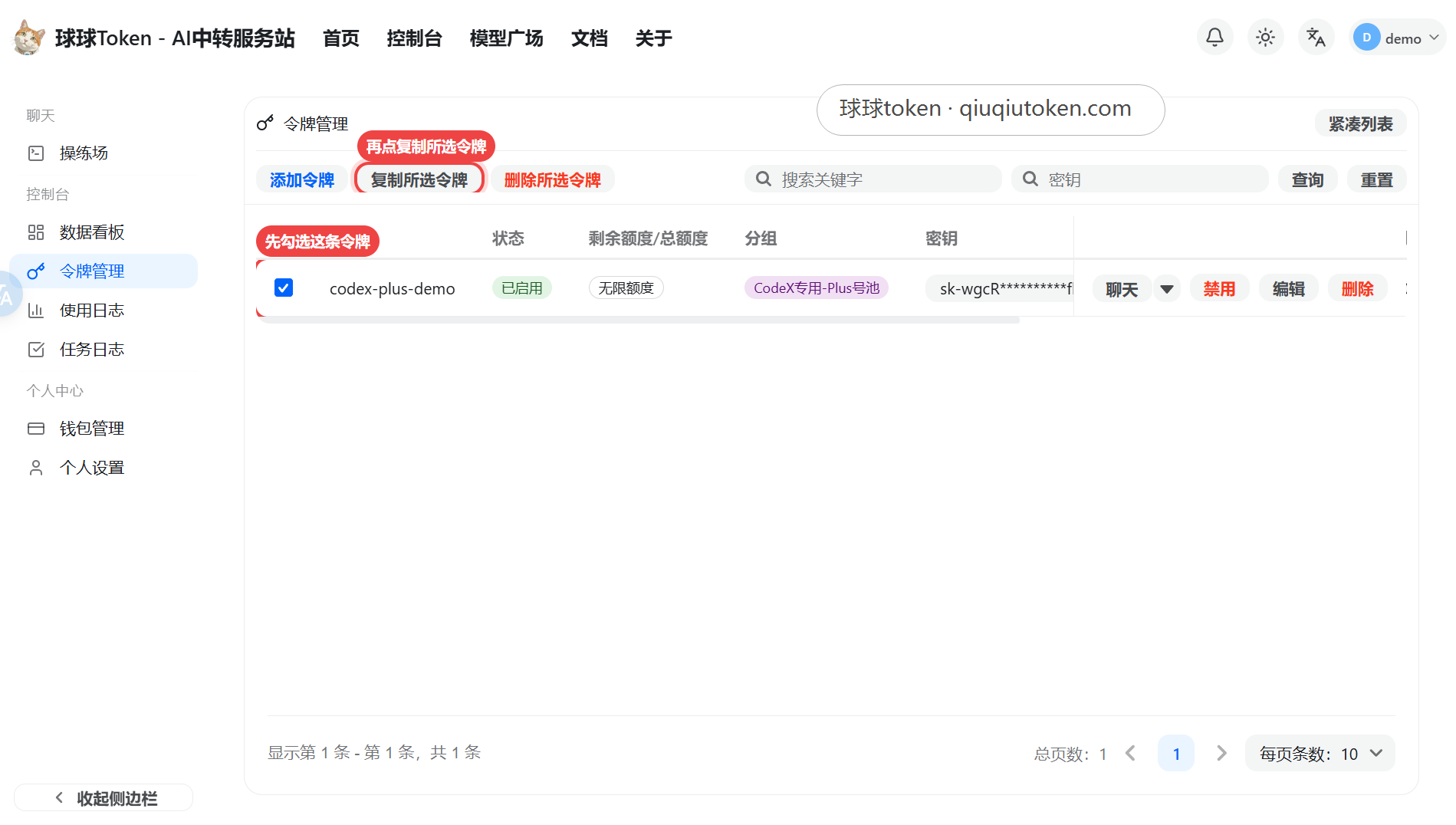
Token Group
Do not choose default by habit. Select the group that matches the target client and model, such as Codex, Claude Code, Gemini CLI, or the specific model pool required by your workflow.
Verification
- The token list contains the new record.
- The selected group is not
default. - The copied API Key is complete and has no leading or trailing spaces.
Next
Return to Quick Start and configure the client.