Cherry Studio · OpenAI / ChatGPT
The OpenAI provider in Cherry Studio can connect directly to Qiuqiu Token for ChatGPT text models, and it can also switch to gpt-image-2 for image generation.
Minimum Requirements
- Cherry Studio is installed and can open normally.
- You have prepared an OpenAI / ChatGPT token group. If not, create one in Create an API Token.
Steps
1. Open the OpenAI provider
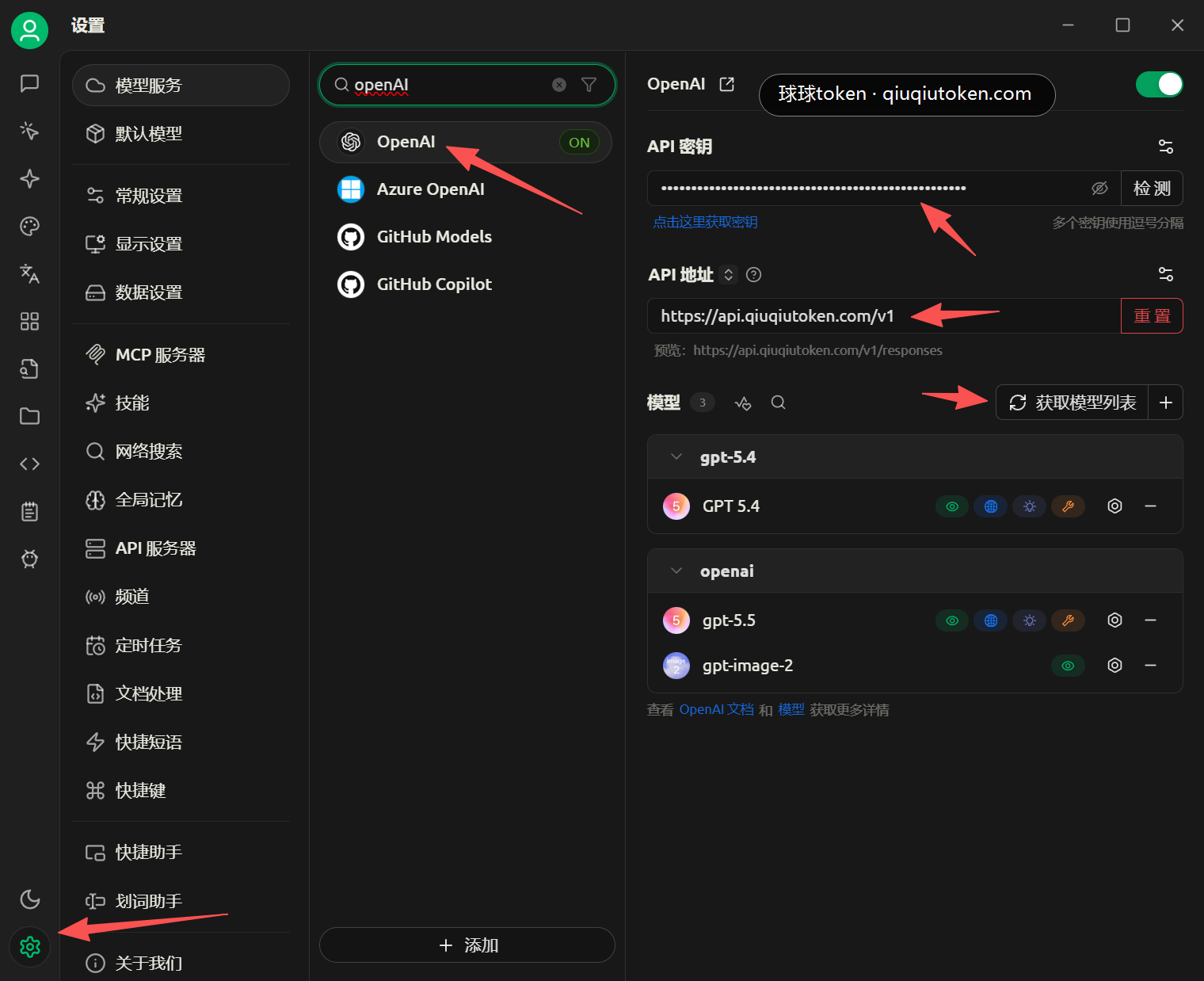
Open Cherry Studio settings, search for openAI under model services, then click OpenAI.
2. Fill provider information
Use these values:
API Key: paste the OpenAI / ChatGPT token keyAPI Address:https://api.qiuqiutoken.com/v1Models: click "Fetch model list" so Cherry Studio pulls available models
After models such as GPT 5.4, gpt-5.5, and gpt-image-2 appear, return to the chat page.
3. Switch to a text or image model
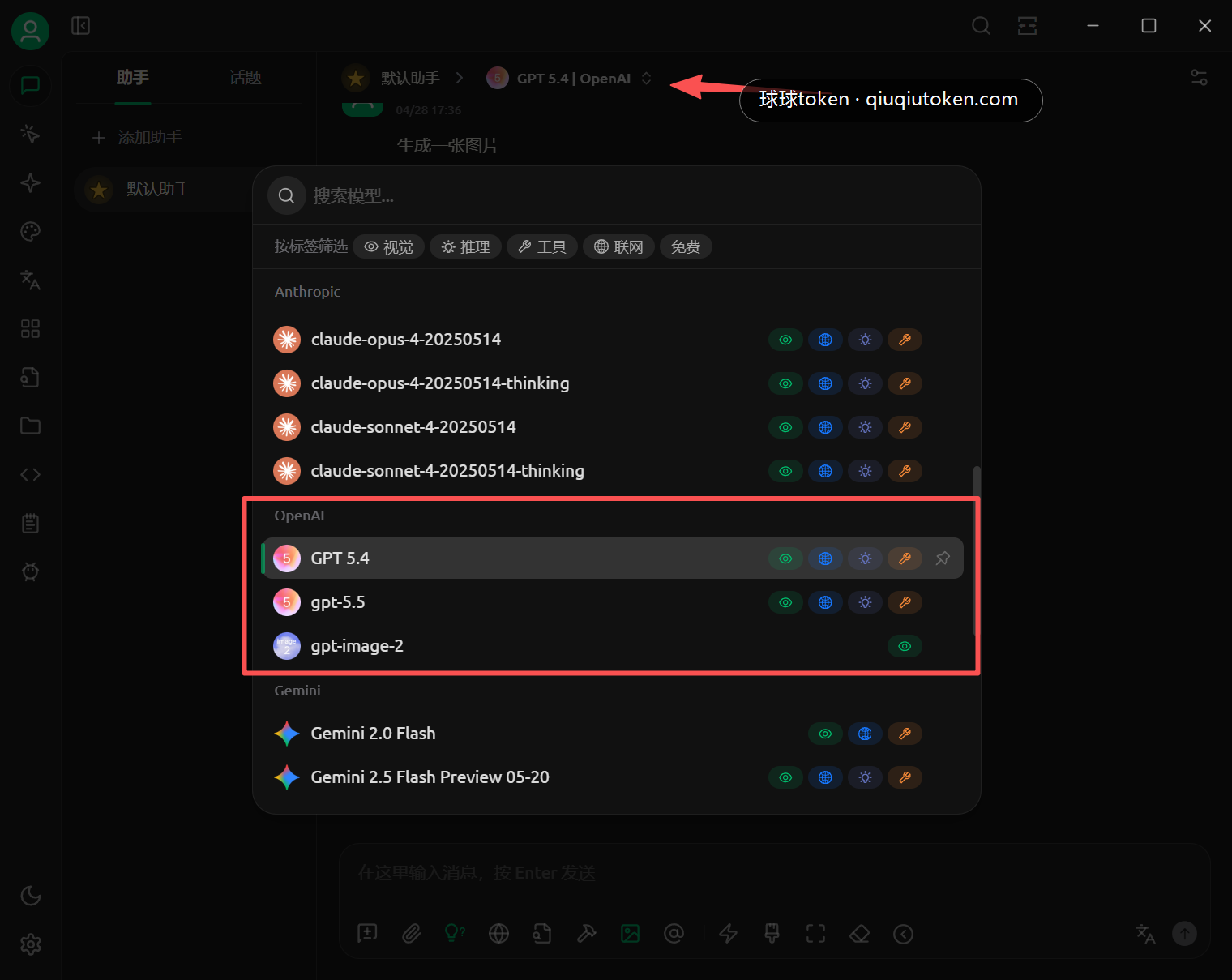
On the chat page, use the top model selector and choose the model under the OpenAI group.
- Text chat: choose
GPT 5.4orgpt-5.5 - Image generation: choose
gpt-image-2
4. Send a test request
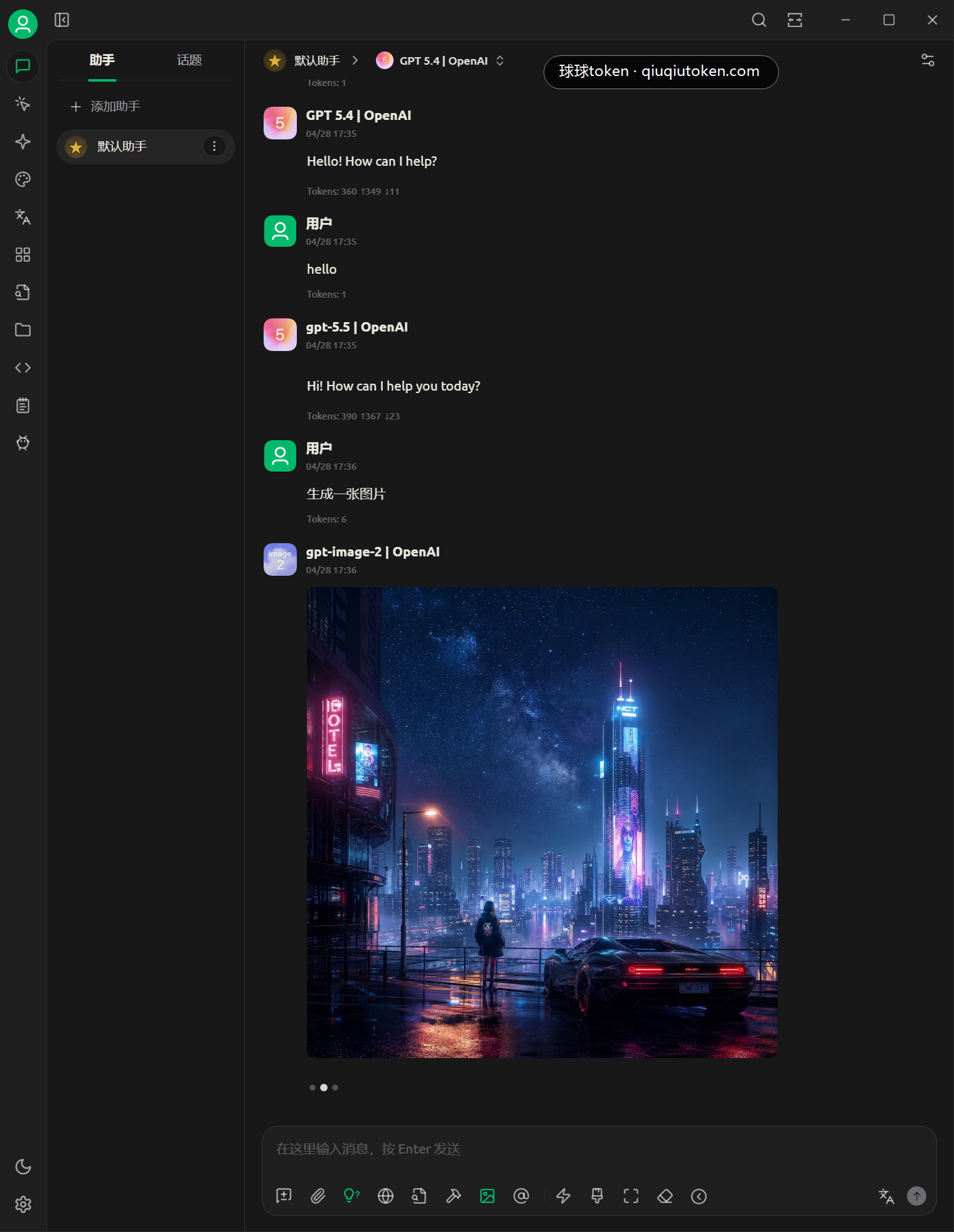
Send a simple message for a text model, or enter an image generation request after switching to gpt-image-2.
FAQ
- No token yet: open Create an API Token.
- No balance yet: open Quick Start.
- Fetching models fails: confirm the API Address is
https://api.qiuqiutoken.com/v1. - No image result after switching to
gpt-image-2: confirm the top model is actuallygpt-image-2. - Authentication fails: confirm the API Key uses the OpenAI / ChatGPT group and is not
default.