
Cherry Studio · Claude
The Claude path in Cherry Studio uses the Anthropic provider. After setting authentication, API Key, and API address, you can switch to Claude models through Qiuqiu Token.
Minimum Requirements
- Cherry Studio is installed and can open normally.
- You have prepared a Claude token group. If not, create one in Create an API Token.
Steps
1. Open the Anthropic provider
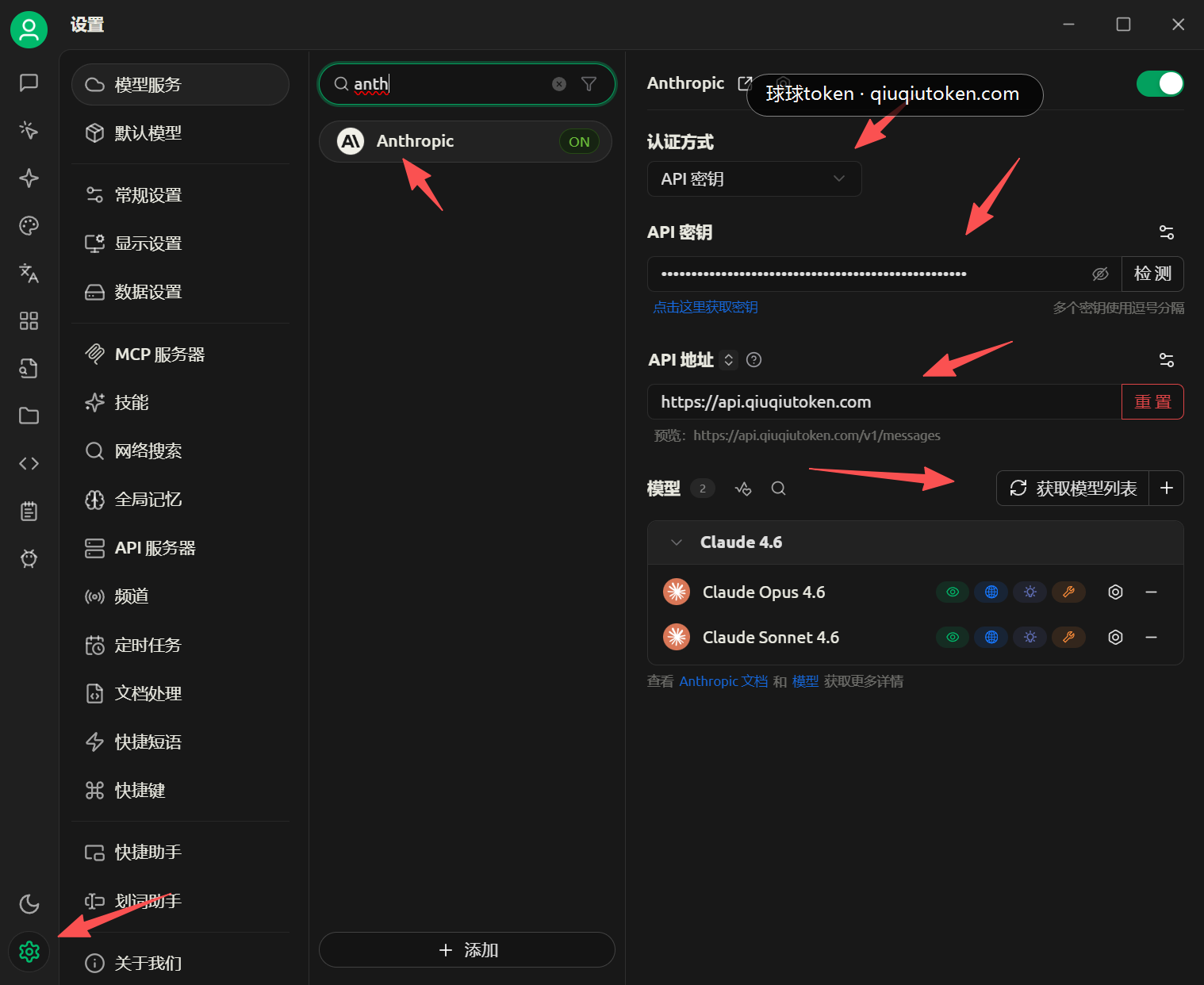
Open Cherry Studio settings, search for anth under model services, then click Anthropic.
2. Fill provider information
Use these values:
Authentication: chooseAPI KeyAPI Key: paste the Claude token keyAPI Address:https://api.qiuqiutoken.comModels: click "Fetch model list"
After models such as Claude Opus 4.6 or Claude Sonnet 4.6 appear, return to the chat page.
3. Switch to a Claude model and verify
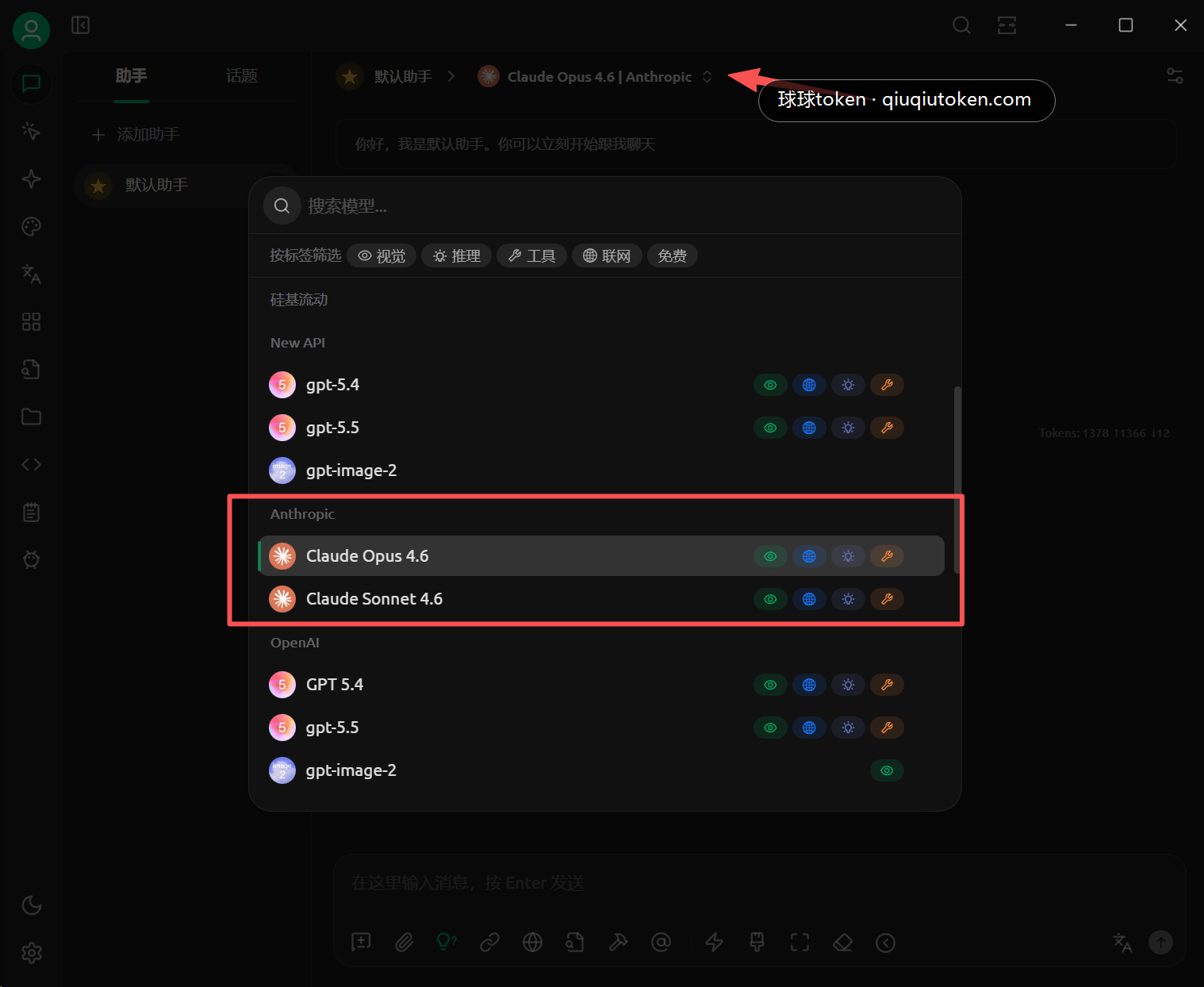
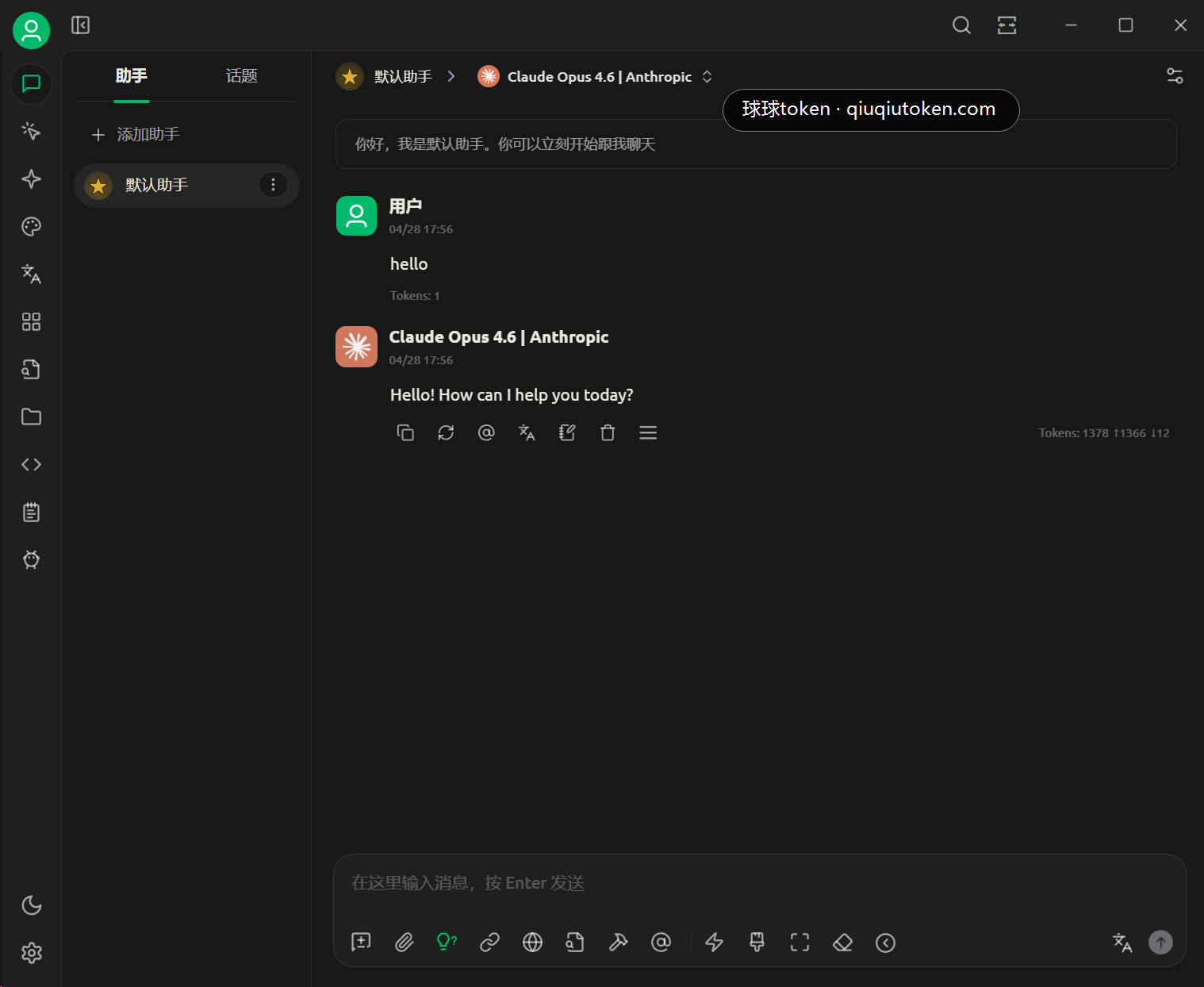
Choose Claude Opus 4.6, Claude Sonnet 4.6, or another available Claude model, then send a simple message.
FAQ
- No token yet: open Create an API Token.
- No balance yet: open Quick Start.
- Fetching models fails: confirm the API Address is
https://api.qiuqiutoken.comand do not append/v1. - Authentication fails: keep authentication as
API Keyand use a Claude token group. - It still uses another model: confirm the chat page is switched to a Claude model.